

Image: Pexels, used under the Pexels License.
Your staff already use ChatGPT. The question a policy has to settle first isn't what they type, it's where: a personal account can feed what they paste into OpenAI's training data unless each person opts out, and a company workspace doesn't by default. Get everyone into a company workspace, then the green, yellow and red rules below do the rest.
A sysadmin on r/sysadmin put the whole approach in two sentences: "We require employees to only use company provided AI tools. Everyone gets a corporate ChatGPT account that we pay for and manage," wrote OnettNess.
https://www.reddit.com/r/sysadmin/comments/1rr3w15/sysadmins_whats_your_policy_on_employees_using/
Personal account or company workspace
We checked each row against OpenAI's own pages on October 15, 2026. ChatGPT Team is now ChatGPT Business: OpenAI renamed it on August 29, 2025.
| Personal (Free, Plus, Pro) | ChatGPT Business | ChatGPT Enterprise | |
|---|---|---|---|
| Used to train OpenAI models | Yes, unless the user turns off "Improve the model for everyone" | Not by default | Not by default |
| Who controls retention | The user: saved chats stay until deleted | Workspace admins | Workspace admins |
| After a chat is deleted | Scheduled for permanent deletion within 30 days | Removed within 30 days | Removed within 30 days, unless OpenAI must keep it by law |
| SOC 2 Type 2 audit | Not stated | Completed | Completed |
| Price | Not checked | $25 per user per month, or $20 billed annually; two seats minimum | Not published on the pages we checked |
Sources: OpenAI data use, Enterprise privacy at OpenAI, ChatGPT Business FAQ, chat and file retention.
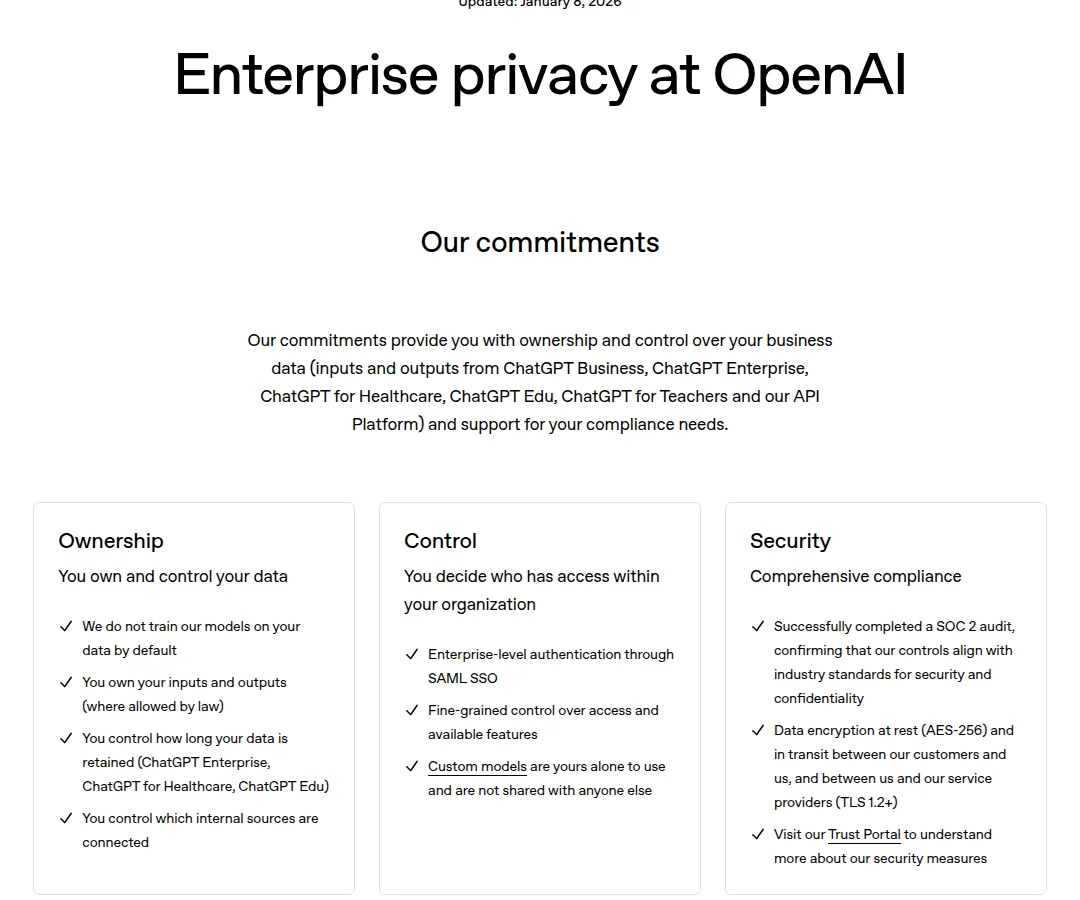
Screenshot: "Enterprise privacy at OpenAI", OpenAI, updated January 8, 2026, captured October 15, 2026.
Two details change what you write in the policy. Opting out on a personal account doesn't cover feedback: if someone clicks thumbs up or down, OpenAI says "the entire conversation associated with that feedback may be used to train our models." And if you handle health data, OpenAI's privacy page points to a separate product, ChatGPT for Healthcare, "designed to support HIPAA compliance," and to Business Associate Agreements for its API, not to the standard Business plan.
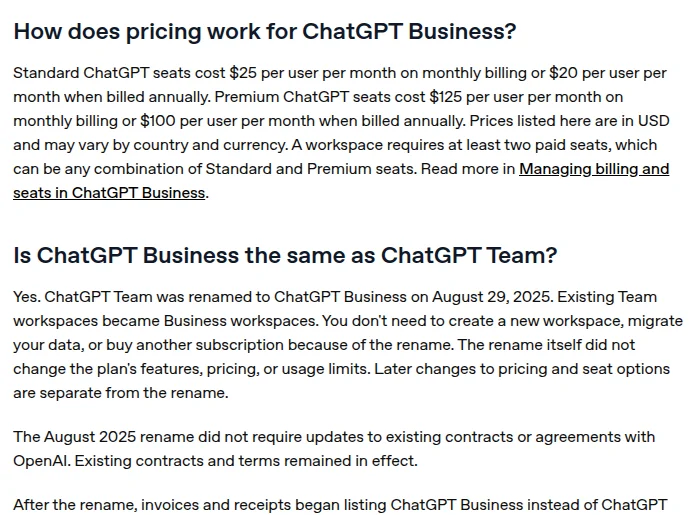
Screenshot: "ChatGPT Business: General FAQ", OpenAI Help Center, captured October 15, 2026.
A company workspace takes the opt-out question out of every employee's hands. We'd buy it before writing a single rule about prompts.
Copy-paste policy: ChatGPT and other AI chat tools
Bracketed values are yours to set.
ChatGPT Usage Policy: [Company Name] Version: [1.0] | Effective: [Date] | Owner: [IT security / CTO]
1. Approved account. Company work in ChatGPT happens only in the [Company] ChatGPT [Business / Enterprise] workspace, signed in with your work account. Personal ChatGPT accounts (Free, Plus or Pro) and other AI chat tools are not approved for company or customer information.
2. Green: go ahead.
- Brainstorming headlines, outlines and internal notes with no customer or employee personal data
- Rewriting text you wrote yourself from non-sensitive material
- Learning a concept or API from public documentation
3. Yellow: ask [approval channel] first.
- Revenue, roadmap or unreleased product details
- Code that will ship to production (it also needs human review)
- Summaries of contracts, or of HIPAA-, GDPR- or PCI-scoped material
4. Red: never, in any AI tool.
- Passwords, API keys, tokens or other secrets
- Full customer records, spreadsheets with personal data, or health and financial exports
- Legal conclusions, medical advice or anything that commits the company, without expert review
5. Before you paste. Ask: would I be comfortable if this exact text appeared in a news story about a data breach? If not, don't paste it. If you're unsure, it's yellow.
6. Output. You're responsible for anything you send, publish or merge, whoever drafted it. ChatGPT doesn't send email, post or approve anything on its own.
7. Feedback buttons. Don't use thumbs up or down on chats that contain company information.
8. New tools. Request new AI tools through [form or channel]. [Owner] answers within [5] business days.
9. If something goes wrong. Report it to [security contact] the same day, delete the chat, and record what was pasted, where and when.
How to roll it out
Lead with what's approved. Announce the company workspace first and the green list second; the red list goes last. On r/ITManagers, a commenter's advice for a rollout that doesn't start a revolt was to "frame it as a safety net rather than a clampdown," said BoorishSalvation, with a grace period for people to move over.
Then make the policy easy to find: pin it where people already look, add one line to onboarding, and put the approval channel link at the top. After the first month, check whether the approval channel is getting used. If it isn't, people either don't know it exists or don't trust it to answer.
For people who need a quick question answered without keeping a record, temporary chat is worth a line in your training.
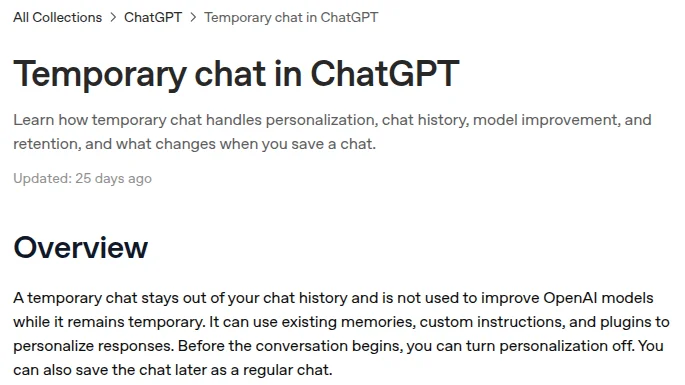
Screenshot: "Temporary chat in ChatGPT", OpenAI Help Center, captured October 15, 2026.
It isn't a loophole for red-list data, though: OpenAI says it may keep a copy of a temporary chat for up to 30 days for safety purposes.
When someone pastes the wrong thing
- Delete the chat. OpenAI says a deleted chat is scheduled for permanent deletion from its systems within 30 days.
- Record what was pasted, into which account and tool, and when.
- Rotate any credential that was in it.
- Classify the content: personal data, regulated data, confidential business information.
If personal data of people in the EU was involved, your DPO or counsel decides whether it's a personal data breach. GDPR Article 33 gives the controller 72 hours from becoming aware of one, where feasible, to notify the supervisory authority (GDPR text). For California residents, the breach notice duty sits in Civil Code 1798.82, which applies when unencrypted personal information was, or is reasonably believed to have been, acquired by an unauthorized person.
Then update the policy if the mistake showed a gap in the green, yellow or red lists. A rule that keeps getting broken the same way needs rewording, not just enforcement.
What this template doesn't cover
- Other AI tools. For a policy that covers every AI tool, not just ChatGPT, start from the AI acceptable use policy template.
- Choosing between Business and Enterprise. See ChatGPT Team vs Enterprise compliance.
- Finding unapproved tools. See shadow AI governance tools.
We couldn't confirm Enterprise pricing or a consumer plan price on OpenAI's pages (its pricing page showed our browser local currency), so the table leaves them out.
Correction, October 15, 2026: an earlier version said consumer ChatGPT keeps conversations indefinitely (saved chats stay until the user deletes them, then are deleted within 30 days), that ChatGPT Team keeps chats 30 days and costs $30 a seat (it's now ChatGPT Business, admins control retention, and a Standard seat is $25 a month or $20 billed annually), and that Enterprise adds a BAA and retention as short as zero days (OpenAI's privacy page doesn't say so; it points health data to ChatGPT for Healthcare and BAAs to its API). It also cited "CCPA notification obligations"; California's breach notice law is Civil Code 1798.82. We removed an unsourced claim that deleted data can't be removed from training sets.